Every smartphone your employee carries is a potential security risk. Mobile Device Management (MDM) software gives businesses full control over those devices — remotely, securely, and at scale. This guide explains exactly how MDM software works, what it does for businesses, and how Zyntro Software Solutions is delivering world-class MDM services across India — from Varanasi to Kolkata.
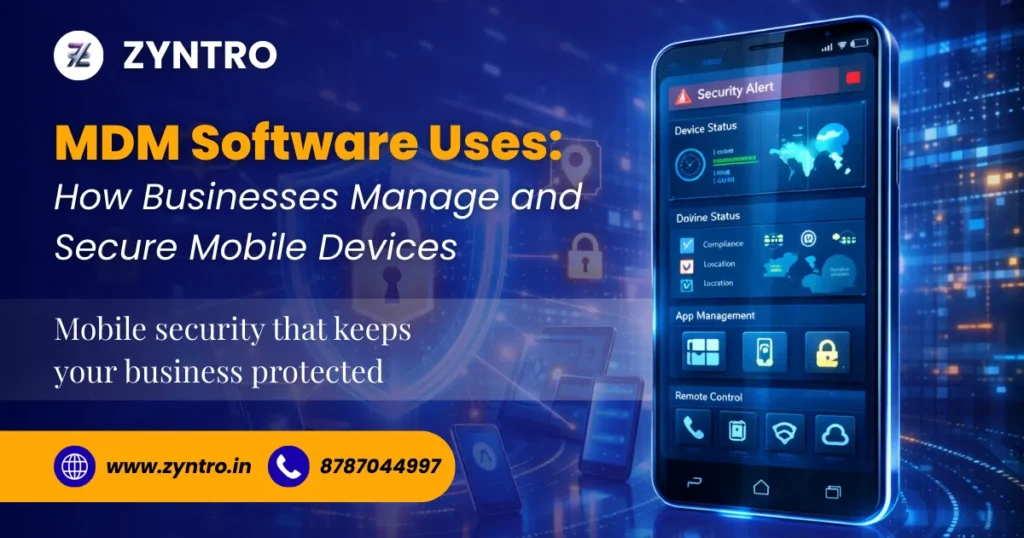
What Is MDM Software?
Mobile Device Management (MDM) software is a security and administration software that enables IT departments to track, handle and protect smartphones, tablets, laptops, and other devices related to a corporate network – all through one unified dashboard.
In simple terms, MDM software places IT administrators in the driving seat. They force settings, security policies, install or uninstall applications, and wipe a lost device, and never even touch it.
Read More – What is Mobile Device Management (MDM) and Why Businesses Need It
Quick Definition: MDM = Mobile Device Management. It is a subset of Enterprise Mobility Management (EMM) and Unified Endpoint Management (UEM). MDM handles device-level control; MAM manages apps; UEM covers all endpoints including desktops.
Key Industry Statistics
| Stat | Detail |
| 68% | of businesses experienced a mobile-related data breach in 2024 |
| 3.5 Billion | corporate mobile devices active worldwide in 2026 |
| ₹42 Crore+ | average cost of a data breach in India per incident |
| 89% | of IT leaders say MDM is critical for remote workforce security |
Why Every Business Needs MDM in 2026
Employees today work anywhere – offices, homes, customer sites, and cafes. They retrieve confidential corporate information using their personal phones, tablets, and laptops. Your business is at risk: without an appropriate mobile device management solution, risks are serious.
• Data Breaches – Unsecured devices compromise data through unsecured applications or misplaced equipment.
• Device Theft – A stolen phone without MDM is just a free ticket to attack the systems of companies.
• Malware Attacks – Employees download unsafe applications, which bring malware into corporate networks. Compliance Failure: The health sector and the banking industry consist of sectors that need to be highly compliant with data security.
• Unauthorised Access- In the absence of the enforcement of the policies, any individual can access sensitive corporate resources. Business MDM software removes such risks as it provides
Business MDM software removes such risks as it provides IT teams with centralized control over all devices, both company-owned and personal.
7 Key Uses of MDM Software in Business
1. Centralized Device Management
IT administrators can administer all devices registered iPhones, Android phones, Windows laptops and macOS machines using a single console. They monitor gadgets in real time, deliver software patches and tweak settings without accessing each device separately. This single pane of glass saves hours of handheld IT effort on a weekly basis.
2. Remote Device Monitoring and Control
If an employee loses a device or leaves the company, the IT team acts instantly. Remote mobile device management allows administrators to lock the device, track its GPS location, and perform a complete wipe — all within minutes. No data falls into the wrong hands.
3. Corporate Data Protection
MDM software encrypts corporate data, separates personal and business files on the same device, and prevents unauthorized data sharing. On Android and iOS devices, work profiles keep company apps and data in a secure container — completely isolated from personal content.
4. Mobile Application Management (MAM)
IT departments deploy approved applications silently to every device, delete unwanted applications and coordinate app permissions centrally. MAM also supports per-app VPN and controlled app options – employees work on approved and secure applications only.
5. Zero-Touch Device Enrollment and Provisioning
Installation of 500 devices by hand is a nightmare. MDM software is used to automatically enroll devices with Apple Business Manager, Android Zero-Touch or Windows Autopilot. A new phone is delivered straight to an employee and autoconfigured with the right apps, policies and network settings – without IT involvement.
6. Security Policy Enforcement
The MDMs impose security standards on all the devices within the fleet – use of strong passwords, full disk encryption, automatic software upgrades, and access to non-approved networks only. In case a device does not comply with policy, it is automatically blocked by MDM.
7. Compliance and Audit Reporting
Industries regulated by HIPAA, PCI-DSS, ISO 27001, and SOC 2 have to demonstrate that their devices comply with the required standard of safety. Continuous compliance reports, patch levels, encryption level, app count, and certificate status can be seen as a result of Enterprise MDM, and manual device audits can be completely removed.
Read More – Best Mobile Locking Company in India – Zyntro Software Solutions ( Helping India-Based Businesses Grow )
Pro Tip: When choosing an MDM platform, look for one that supports both iOS and Android devices from the same console — managing two separate platforms doubles your admin overhead.
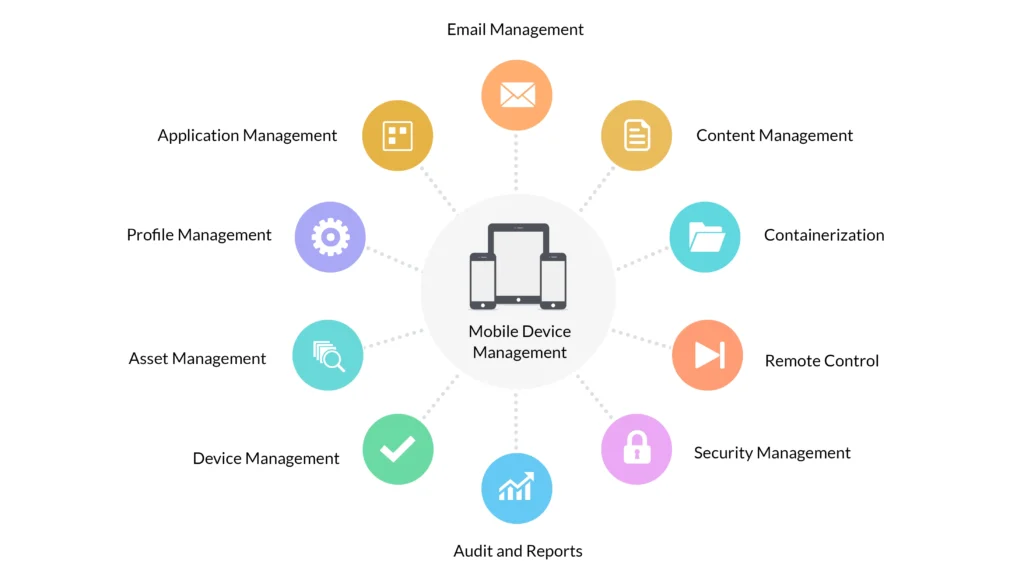
Must-Have Features of the Best MDM Software
- Remote lock, wipe, and locate — Secure data that has been lost or stolen.
- Zero-touch enrollment — Auto-provision devices through Apple ABM, Android Zero-Touch.
- Mobile Application Management (MAM) — Push, update, and revoke apps silently
- Work profile/containerization — Separate personal and corporate data on BYOD devices
- Policy enforcement engine — This will enforce passwords, encryption, OS version, and VPN rules.
- Compliance dashboard — Real-time visibility into every device’s security status
- IdP integration — Sync with Azure AD, Okta, or Google Workspace for SSO
- Per-app VPN — VPN only works on application traffic.
- Multi-OS support — Manage iOS, Android, Windows, macOS, ChromeOS from one console
- Cloud-based management — Control off-network devices at any location, at any time
How MDM Software Solves the BYOD Security Challenge
The Indian businesses have now adopted BYOD (Bring Your Own Device). Employees are using personal phones with WhatsApp, calls, and company emails on the same phone. This is a blurry boundary between personal and professional information.
MDM software solves the BYOD challenge by creating a work profile — a secure, encrypted container on the employee’s personal device that holds only corporate apps and data. The personal side of the phone remains completely private. IT can never see personal photos, messages, or apps.
When the employee resigns, IT performs a selective wipe — removing only the work profile and all corporate data, while leaving the employee’s personal data completely untouched.
Read More – How Zyntro MDM Solutions Help Varanasi-Based Companies
Important: Can MDM software track employee location? On BYOD devices, location tracking is disabled when the work profile is not active — protecting employee privacy. On corporate-owned devices, location services can be enabled for fleet management purposes only, with employee consent.
Which Industries Benefit Most from MDM?
| Industry | MDM Use Case | Compliance |
| Healthcare | Secure patient data on doctor and nurse devices | HIPAA, DISHA |
| Banking & Finance | Protect transaction data, enforce encryption | PCI-DSS, RBI |
| Education | Manage student tablets, restrict non-educational apps | COPPA, School IT |
| Retail & Logistics | Manage POS devices, track field delivery staff | PCI-DSS |
| Manufacturing | Deploy ruggedized devices on factory floors | ISO 27001 |
| Government | Secure sensitive citizen data on field officer devices | CERT-In |
| IT & Software | Secure developer devices, enforce VPN and encryption | SOC 2, ISO 27001 |
MDM vs MAM vs UEM — What Is the Difference?
What is the difference between MDM, MAM, and UEM? This is one of the most common questions IT managers ask. Here is a clear breakdown:
| Feature | MDM | MAM | UEM |
| Device-level control | Yes | No | Yes |
| App management | Partial | Full | Full |
| Manages desktops/laptops | No | No | Yes |
| BYOD support | Yes | Yes | Yes |
| Remote wipe | Full wipe | Selective | Both |
| Best for | Corporate devices | BYOD apps | All endpoints |
For most Indian SMBs and enterprises, a modern MDM solution with built-in MAM capabilities covers 90% of use cases at a fraction of the cost of a full UEM suite.
How Zyntro Software Solutions Delivers MDM Services Across India
Zyntro Software Solutions is one of India’s fastest-growing MDM service providers, helping businesses of all sizes manage and secure their mobile infrastructure with enterprise-grade tools at affordable pricing.
Our MDM Service Coverage Across India
We deliver MDM implementation, support, and managed services across all major cities and regions. Our primary service areas include: All Over Pan India | Uttar Pradesh | Varanasi | Prayagraj | Jaunpur | Mirzapur | Kolkata | Lucknow | Noida | Agra | Gorakhpur | Kanpur | Mumbai | Delhi NCR | Bengaluru | Hyderabad
What Zyntro Offers
- End-to-End MDM Implementation — From device enrollment to policy configuration, Zyntro handles it all
- Android & iOS MDM Support — Full fleet management for all major device platforms
- BYOD Security Solutions — Work profile setup protecting corporate data without invading employee privacy
- Zero-Touch Device Provisioning — Deploy hundreds of devices automatically with no manual setup
- Remote Wipe & Device Lock — Instant action when a device is lost or an employee leaves
- Compliance Reporting — Audit-ready reports for HIPAA, PCI-DSS, ISO 27001, and CERT-In requirements
- 24/7 Local Support in Hindi & English — Across Varanasi, Prayagraj, Jaunpur, Mirzapur, and Kolkata
- Affordable SMB Pricing — Enterprise MDM services priced right for Indian small and medium businesses

Why Businesses in Uttar Pradesh and Kolkata Choose Zyntro
Most MDM vendors offer global solutions that do not understand local business needs. Zyntro is built for India. We understand the challenges faced by businesses in Varanasi, Prayagraj, Jaunpur, and Mirzapur — limited IT staff, mixed Android/iOS fleets, BYOD-heavy workforces, and the need for affordable, reliable support in Hindi.
Our team has deployed MDM solutions for healthcare clinics, educational institutions, retail chains, logistics companies, and government contractors across Uttar Pradesh and West Bengal. We deliver the same enterprise-grade security that Fortune 500 companies use — at a price that works for growing Indian businesses.
Get Started: Contact Zyntro Software Solutions today for a Free MDM Consultation. Our team is ready to deploy and manage your entire mobile device fleet across Pan India — including Varanasi, Prayagraj, Jaunpur, Mirzapur, and Kolkata.
Frequently Asked Questions About MDM Software
Q: What is MDM software used for?
A: MDM software is used by businesses to manage, monitor, and secure mobile devices — including smartphones, tablets, and laptops — connected to their corporate network. IT teams use it to enforce security policies, push apps, track devices, and wipe data remotely.
Q: Which MDM software is best for small business?
A: The best MDM software for small businesses in India combines ease of use, affordable pricing, and strong Android support. Zyntro Software Solutions offers tailored MDM packages for Indian SMBs in cities like Varanasi, Prayagraj, Jaunpur, and Mirzapur with full Hindi-language support.
Q: Is MDM software necessary for remote workers?
A: Yes. MDM software is essential for managing remote worker devices. Without it, IT teams have no visibility into whether remote devices meet security standards, use updated software, or have unauthorized apps installed. MDM bridges the gap between office security and remote work reality.
Q: Can IT see everything on my phone with MDM?
A: No — on BYOD devices. MDM work profiles keep personal and corporate data completely separate. IT administrators can only see and manage the work profile side of the device. They cannot access personal photos, messages, or apps.
Q: How do I set up MDM on company devices?
A: Setting up MDM on company devices involves selecting an MDM platform, enrolling devices through Apple Business Manager or Android Zero-Touch, creating configuration profiles, and deploying policies. Zyntro Software Solutions handles the entire MDM setup process for businesses across Varanasi, Jaunpur, Mirzapur, Prayagraj, and Kolkata with on-site support.
Conclusion: MDM Software Is No Longer Optional
Every business with mobile employees faces the same reality: unmanaged devices are a ticking security risk. Mobile Device Management software gives IT teams the control, visibility, and automation they need to protect corporate data — regardless of where employees work or what devices they use.
From zero-touch device enrollment and BYOD containerization to remote wipe and compliance reporting, MDM solutions deliver measurable value at every scale. The question is no longer whether your business needs MDM — it is who you trust to deploy it right.
Zyntro Software Solutions brings enterprise-grade MDM services to businesses across Pan India — with deep local expertise in Uttar Pradesh, Varanasi, Prayagraj, Jaunpur, Mirzapur, and Kolkata. We make MDM simple, affordable, and effective for growing Indian businesses.